
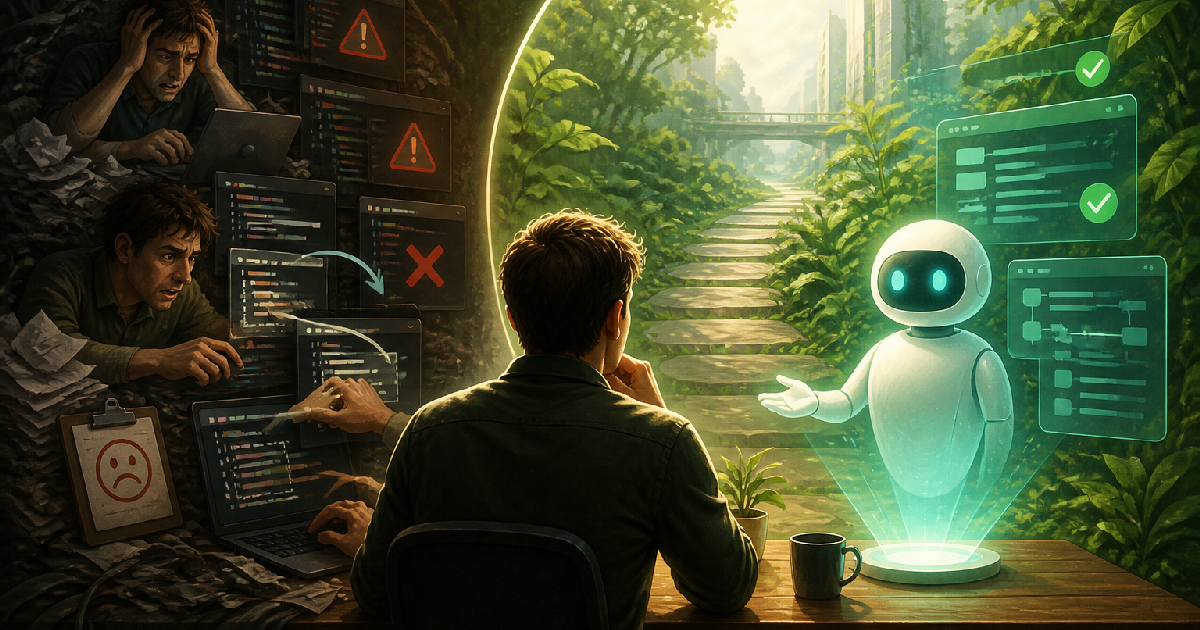
You sit down to solve a tricky bug. You paste the error into an AI chatbot, copy the five lines of code it gives you, and paste them into your project. Now you have three new errors. This frustrating loop of copying, pasting, and praying is how most people first experience AI programming. But software development is shifting rapidly. Instead of getting stuck in an endless cycle of manual prompting and copying code until your project becomes a tangled mess, a new standard is arriving. A true coding agent does not just hand you loose fragments of text. It reads your environment, understands your architecture, and takes action to solve the problem directly where it lives.
The days of treating AI like an advanced search engine are fading. If you want to build reliable software or automate complex business systems, you have to stop pasting scattered code and start leveraging agentic development workflows that can see the whole picture.
The Problem with the Copy and Paste Loop
When you use a standard chat interface to write code, the AI is completely blind to your actual project. It has no idea what database you are using, what other files exist in your folder, or how your network is configured.
Because the bot lacks this vital context, it gives you a generalized answer. You act as the slow, manual translator between a smart chat window and your codebase. You paste code. It breaks. You copy the new error. You paste it back into the chat. You wait.
This creates a massive bottleneck. A 2023 GitHub survey found that 92 percent of developers use some form of AI tool, but a large portion still manually ferry snippets back and forth. That mental friction drains your energy and introduces tiny copy-paste errors that take hours to track down. In fact, seasoned programming communities are pointing out that AI is not going to replace software engineers, but it will disrupt those who only copy-paste code without understanding the system context.
What Makes an AI Coding Agent Different
An agent is essentially an AI that has been given hands and eyes. Instead of waiting for you to describe a problem in a text box, an agent plugs directly into your workspace. This shift allows for true AI-augmented development where you stop coding alone and instead collaborate with an assistant that acts directly on your files and environments.
Think of it like cooking. Copying and pasting from a chatbot is like asking a stranger for a recipe, ingredient by ingredient, over a phone call. Using a coding agent is like having a trained sous-chef standing in your kitchen. The agent can look inside your pantry, see that you are out of a certain ingredient, and suggest a substitution based on exactly what is available.
In technical terms, an agent can:
- Read your entire file directory to understand existing patterns.
- Write code directly into your files.
- Run terminal commands to test if the code actually executes.
- Read the resulting error logs and automatically rewrite the code to fix them.
This level of awareness changes everything. Research from Microsoft shows that developers using deeply integrated, context-aware AI tools can complete complex tasks up to 55 percent faster than those using traditional search and copy methods.
How System Context Improves Quality
Software is rarely just one file. It is a web of interconnected rules. If you change a variable in your user login screen, it might break the database script three folders away.
Agents excel because they hold the entire system map in their memory. When we build custom web applications or design cloud infrastructure, context is everything. An isolated piece of code is useless if it does not fit the larger architectural puzzle.
This is especially true in enterprise environments like the Microsoft ecosystem. When you are configuring complex workflows in Power Automate or building intelligent bots in Copilot Studio, you cannot rely on generic scripts. You need an agent that understands your specific data connectors, your security permissions, and your unique business logic. Standard chatbots guess at your structure. Integrated agents read it directly.
Frequently Asked Questions
What is the exact difference between a chatbot and a coding agent?
A chatbot waits for a prompt and generates a text response. It has no access to your local computer. An agent has tools. It can read local files, execute scripts, and take multi-step actions inside your software environment to accomplish a goal.
Are coding agents going to replace human developers?
No. They replace the manual typing and the repetitive syntax searches, not the high-level thinking. You still have to design the architecture, ensure security, and tell the agent what business problem you are actually trying to solve.
Is it safe to let an AI agent read my codebase?
It depends entirely on the tool you use. Public, free models often use your data to train future versions. Enterprise-grade agents, like those built into the Microsoft Copilot ecosystem, are bound by strict security definitions. They read your context to do the job, but they do not share your proprietary code with the public.
Your Next Step in Intelligent Automation
Moving from manual copy-pasting to automated, agent-driven development gives you a massive advantage in speed and reliability. Instead of wrestling with syntax errors, you can spend your time defining exactly how your software should serve your business.
At FlowDevs, we build the integrated digital systems that power modern business. We specialize in AI, intelligent automation, and custom app development. Whether you need to streamline a complex workflow in Power Apps or deploy an intelligent agent via Copilot Studio, we can help you turn your technical vision into reality.
Stop wrestling with disconnected code snippets. Let us help you build scalable systems that actually work. Schedule a consultation with us today to discuss your next automation project.Check out this post on Techne Blog.
You sit down to solve a tricky bug. You paste the error into an AI chatbot, copy the five lines of code it gives you, and paste them into your project. Now you have three new errors. This frustrating loop of copying, pasting, and praying is how most people first experience AI programming. But software development is shifting rapidly. Instead of getting stuck in an endless cycle of manual prompting and copying code until your project becomes a tangled mess, a new standard is arriving. A true coding agent does not just hand you loose fragments of text. It reads your environment, understands your architecture, and takes action to solve the problem directly where it lives.
The days of treating AI like an advanced search engine are fading. If you want to build reliable software or automate complex business systems, you have to stop pasting scattered code and start leveraging agentic development workflows that can see the whole picture.
The Problem with the Copy and Paste Loop
When you use a standard chat interface to write code, the AI is completely blind to your actual project. It has no idea what database you are using, what other files exist in your folder, or how your network is configured.
Because the bot lacks this vital context, it gives you a generalized answer. You act as the slow, manual translator between a smart chat window and your codebase. You paste code. It breaks. You copy the new error. You paste it back into the chat. You wait.
This creates a massive bottleneck. A 2023 GitHub survey found that 92 percent of developers use some form of AI tool, but a large portion still manually ferry snippets back and forth. That mental friction drains your energy and introduces tiny copy-paste errors that take hours to track down. In fact, seasoned programming communities are pointing out that AI is not going to replace software engineers, but it will disrupt those who only copy-paste code without understanding the system context.
What Makes an AI Coding Agent Different
An agent is essentially an AI that has been given hands and eyes. Instead of waiting for you to describe a problem in a text box, an agent plugs directly into your workspace. This shift allows for true AI-augmented development where you stop coding alone and instead collaborate with an assistant that acts directly on your files and environments.
Think of it like cooking. Copying and pasting from a chatbot is like asking a stranger for a recipe, ingredient by ingredient, over a phone call. Using a coding agent is like having a trained sous-chef standing in your kitchen. The agent can look inside your pantry, see that you are out of a certain ingredient, and suggest a substitution based on exactly what is available.
In technical terms, an agent can:
- Read your entire file directory to understand existing patterns.
- Write code directly into your files.
- Run terminal commands to test if the code actually executes.
- Read the resulting error logs and automatically rewrite the code to fix them.
This level of awareness changes everything. Research from Microsoft shows that developers using deeply integrated, context-aware AI tools can complete complex tasks up to 55 percent faster than those using traditional search and copy methods.
How System Context Improves Quality
Software is rarely just one file. It is a web of interconnected rules. If you change a variable in your user login screen, it might break the database script three folders away.
Agents excel because they hold the entire system map in their memory. When we build custom web applications or design cloud infrastructure, context is everything. An isolated piece of code is useless if it does not fit the larger architectural puzzle.
This is especially true in enterprise environments like the Microsoft ecosystem. When you are configuring complex workflows in Power Automate or building intelligent bots in Copilot Studio, you cannot rely on generic scripts. You need an agent that understands your specific data connectors, your security permissions, and your unique business logic. Standard chatbots guess at your structure. Integrated agents read it directly.
Frequently Asked Questions
What is the exact difference between a chatbot and a coding agent?
A chatbot waits for a prompt and generates a text response. It has no access to your local computer. An agent has tools. It can read local files, execute scripts, and take multi-step actions inside your software environment to accomplish a goal.
Are coding agents going to replace human developers?
No. They replace the manual typing and the repetitive syntax searches, not the high-level thinking. You still have to design the architecture, ensure security, and tell the agent what business problem you are actually trying to solve.
Is it safe to let an AI agent read my codebase?
It depends entirely on the tool you use. Public, free models often use your data to train future versions. Enterprise-grade agents, like those built into the Microsoft Copilot ecosystem, are bound by strict security definitions. They read your context to do the job, but they do not share your proprietary code with the public.
Your Next Step in Intelligent Automation
Moving from manual copy-pasting to automated, agent-driven development gives you a massive advantage in speed and reliability. Instead of wrestling with syntax errors, you can spend your time defining exactly how your software should serve your business.
At FlowDevs, we build the integrated digital systems that power modern business. We specialize in AI, intelligent automation, and custom app development. Whether you need to streamline a complex workflow in Power Apps or deploy an intelligent agent via Copilot Studio, we can help you turn your technical vision into reality.
Stop wrestling with disconnected code snippets. Let us help you build scalable systems that actually work. Schedule a consultation with us today to discuss your next automation project.Check out this post on Techne Blog.