
QuickBooks Automated Updates: Automatic Updates (and Fully Automated QuickBooks Updates) with FlowDevs QB-Flow
.jpg)
If you support QuickBooks Desktop in an MSP or IT ops environment, you already know the pain: updates are “simple” until they’re not. One workstation prompts for a reboot. Another gets stuck in an update loop. A third is on the wrong year/version for your Windows 11 or AVD standardization plan.
QB-Flow by FlowDevs was built to make QuickBooks automated updates predictable, repeatable, and hands-off so you can stop doing manual update runs over RDP.
QB-Flow product page:
https://www.flowdevs.io/qb-flow
Why “QuickBooks automatic updates” still aren’t really automatic
QuickBooks Desktop has an “automatic updates” setting, but real-world operations introduce friction:
- Updates run at the wrong time and disrupt users
- “Requires reboot” prompts show up during business hours
- Multiple endpoints drift into different versions/patch levels
- You’re forced into manual babysitting: RDP sessions, clicks, retries, and cleanup
QB-Flow is designed for those realities so “automatic updates” becomes fully automated QuickBooks updates you can schedule and trust.
What is QB-Flow?
QB-Flow is FlowDevs’ QuickBooks Automated Update Tool that supports multiple automation methods (standalone executable, Nerdio, and other RMM/MDM approaches).
QB-Flow product page:
https://www.flowdevs.io/qb-flow
Supported automation methods (as listed)
- Standalone Executable (run updates via PowerShell scripts)
- Nerdio Integration (download and execute using scripted actions)
- Also referenced: NinjaRMM, ConnectWise RMM, Microsoft Intune
How QB-Flow delivers fully automated QuickBooks updates
QB-Flow focuses on doing the entire update flow in a controlled, repeatable way:
- Detects QuickBooks installs (version/flavor/path)
- Disables ad-hoc “auto updates” behavior so updates happen on your schedule
- Checks current version
- Downloads the latest installer if needed
- Applies the update
- Logs the run so your team has traceability
“How it works” deep dive:
https://www.flowdevs.io/post/the-way-it-works-qb-flow
Built for real-world IT ops: reboot control and fewer surprises
QB-Flow is designed to reduce the “update requires reboot” chaos and make patching less disruptive for end users especially when you’re managing QuickBooks across multiple endpoints.
QB-Flow product page:
https://www.flowdevs.io/qb-flow
New feature: One-click QuickBooks Tool Hub management (install/uninstall)
QuickBooks Tool Hub is essential but deploying it across many hosts is usually a chore. QB-Flow added Tool Hub management so it can be installed/removed in the same scripted run as updates.
Feature post:
https://www.flowdevs.io/post/new-feature-qb-flow-adds-one-click-quickbooks-tool-hub-management
Example usage (from the feature post):
QB-flow.exe /customerid <CustomerID> /qbtools installQB-flow.exe /customerid <CustomerID> /qbtools uninstall
Optional: Year filtering for selective QuickBooks updates
If you’re consolidating versions, QB-Flow supports year filtering so you can target only the QuickBooks years you run and skip everything else.
Year filtering post:
https://www.flowdevs.io/post/new-feature-qb-flow-adds-year-filtering
Getting started
Start here:
https://www.flowdevs.io/qb-flow
Then read:
- Tool Hub management: https://www.flowdevs.io/post/new-feature-qb-flow-adds-one-click-quickbooks-tool-hub-management
- How it works: https://www.flowdevs.io/post/the-way-it-works-qb-flow
- Year filtering: https://www.flowdevs.io/post/new-feature-qb-flow-adds-year-filtering
In Conclusion
If you’re done babysitting QuickBooks Desktop patches, QB-Flow helps turn “QuickBooks automatic updates” into QuickBooks automated updates that are consistent, schedulable, and scalable across endpoints.
QB-Flow product page:
https://www.flowdevs.io/qb-flow
If you support QuickBooks Desktop in an MSP or IT ops environment, you already know the pain: updates are “simple” until they’re not. One workstation prompts for a reboot. Another gets stuck in an update loop. A third is on the wrong year/version for your Windows 11 or AVD standardization plan.
QB-Flow by FlowDevs was built to make QuickBooks automated updates predictable, repeatable, and hands-off so you can stop doing manual update runs over RDP.
QB-Flow product page:
https://www.flowdevs.io/qb-flow
Why “QuickBooks automatic updates” still aren’t really automatic
QuickBooks Desktop has an “automatic updates” setting, but real-world operations introduce friction:
- Updates run at the wrong time and disrupt users
- “Requires reboot” prompts show up during business hours
- Multiple endpoints drift into different versions/patch levels
- You’re forced into manual babysitting: RDP sessions, clicks, retries, and cleanup
QB-Flow is designed for those realities so “automatic updates” becomes fully automated QuickBooks updates you can schedule and trust.
What is QB-Flow?
QB-Flow is FlowDevs’ QuickBooks Automated Update Tool that supports multiple automation methods (standalone executable, Nerdio, and other RMM/MDM approaches).
QB-Flow product page:
https://www.flowdevs.io/qb-flow
Supported automation methods (as listed)
- Standalone Executable (run updates via PowerShell scripts)
- Nerdio Integration (download and execute using scripted actions)
- Also referenced: NinjaRMM, ConnectWise RMM, Microsoft Intune
How QB-Flow delivers fully automated QuickBooks updates
QB-Flow focuses on doing the entire update flow in a controlled, repeatable way:
- Detects QuickBooks installs (version/flavor/path)
- Disables ad-hoc “auto updates” behavior so updates happen on your schedule
- Checks current version
- Downloads the latest installer if needed
- Applies the update
- Logs the run so your team has traceability
“How it works” deep dive:
https://www.flowdevs.io/post/the-way-it-works-qb-flow
Built for real-world IT ops: reboot control and fewer surprises
QB-Flow is designed to reduce the “update requires reboot” chaos and make patching less disruptive for end users especially when you’re managing QuickBooks across multiple endpoints.
QB-Flow product page:
https://www.flowdevs.io/qb-flow
New feature: One-click QuickBooks Tool Hub management (install/uninstall)
QuickBooks Tool Hub is essential but deploying it across many hosts is usually a chore. QB-Flow added Tool Hub management so it can be installed/removed in the same scripted run as updates.
Feature post:
https://www.flowdevs.io/post/new-feature-qb-flow-adds-one-click-quickbooks-tool-hub-management
Example usage (from the feature post):
QB-flow.exe /customerid <CustomerID> /qbtools installQB-flow.exe /customerid <CustomerID> /qbtools uninstall
Optional: Year filtering for selective QuickBooks updates
If you’re consolidating versions, QB-Flow supports year filtering so you can target only the QuickBooks years you run and skip everything else.
Year filtering post:
https://www.flowdevs.io/post/new-feature-qb-flow-adds-year-filtering
Getting started
Start here:
https://www.flowdevs.io/qb-flow
Then read:
- Tool Hub management: https://www.flowdevs.io/post/new-feature-qb-flow-adds-one-click-quickbooks-tool-hub-management
- How it works: https://www.flowdevs.io/post/the-way-it-works-qb-flow
- Year filtering: https://www.flowdevs.io/post/new-feature-qb-flow-adds-year-filtering
In Conclusion
If you’re done babysitting QuickBooks Desktop patches, QB-Flow helps turn “QuickBooks automatic updates” into QuickBooks automated updates that are consistent, schedulable, and scalable across endpoints.
QB-Flow product page:
https://www.flowdevs.io/qb-flow
Related Blog Posts

Stop Babysitting Your Books: Why QuickBooks Desktop Updates Are Killing Your Efficiency (And How to Automate Them)
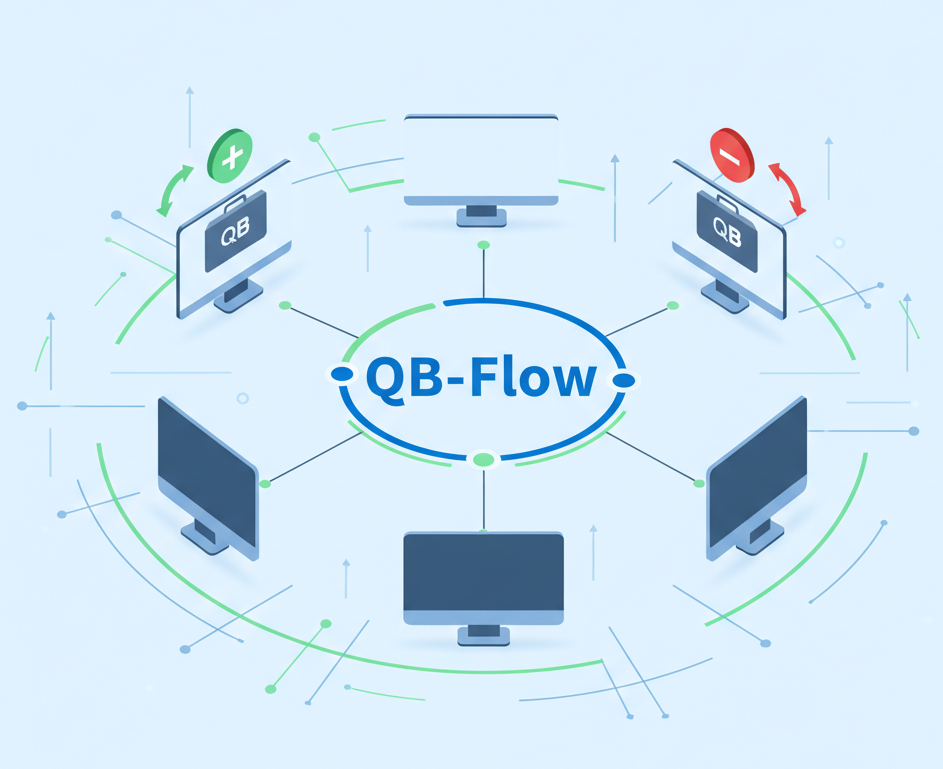
New Feature: QB-Flow Adds One-Click QuickBooks Tool Hub Management
.jpg)