.jpg)

The productivity suite landscape has shifted dramatically. In 2026, the question is no longer just about whether you prefer the interface of Gmail or Outlook. The real question has become: Which AI ecosystem do you want to live in?
While Google Workspace and Microsoft 365 remain the titans of the industry, their pricing models and feature sets have diverged significantly this year. The split is most visible regarding storage policies and how they integrate artificial intelligence into your daily workflow. If you are struggling to decide which stack is right for your organization in this new era, here is a breakdown of the license landscape for 2026.
At a Glance: The 2026 Pricing Tiers
Prices have inched up slightly across the board, but the structure remains familiar. The biggest change regarding the standard business tiers in 2026 is the value gap between the offerings. It's important to note that Microsoft made headlines in March 2023 by increasing prices across various plans, prompting many businesses to reassess their options.
Microsoft 365 Business Standard comes in at approximately $12.50 per user per month. It includes the desktop applications you know well (Word, Excel, PowerPoint) and provides 1TB of storage per user. AI features here are limited to basic editing. This offering, with its comprehensive suite of applications, caters well to traditional office environments, and the familiarity employees have with these tools is often a major driver for choosing Microsoft 365.
Google Workspace Business Standard costs approximately $14.00 per user per month. It remains a browser-first experience without native desktop apps. However, it offers 2TB of storage that is pooled across the organization. Google generally wins on storage space, offering more gigabytes at lower tiers, while also shining in real-time collaboration.
Major Differentiator #1: The AI Tax
The most important realization for businesses in 2026 is that AI is generally not included in the base price of commercial licenses. It is an add-on tax that you must budget for separately.
Microsoft Copilot
Microsoft Copilot remains a premium add-on at roughly $30 per user per month. To use it effectively, you generally need a base license of Business Standard or higher. Where Copilot excels is in the "heavy lifting" within desktop apps. If your team needs to generate PowerPoint decks from Word documents or analyze massive Excel sheets using natural language, this is an incredibly powerful tool.
As consultants for Power Apps and Power Automate, we often see Copilot serving as the gateway to broader intelligent automation strategies within the Microsoft ecosystem.
Gemini for Workspace
Google has introduced a tiered approach to their AI offering. Gemini Business is an add-on for standard users at roughly $20 per month, while Gemini Enterprise targets power users at $30 per month. While Google is currently winning on price accessibility for AI, Microsoft still holds the edge on deep integration for heavy document creation.
Major Differentiator #2: Storage Philosophy
This is frequently the deciding factor for creative agencies and data-heavy teams, yet it is often overlooked during procurement.
The Winner: Google Workspace (Pooled Storage)
Google uses a pooled model. If you buy 10 licenses of Business Standard which come with 2TB each, your organization gets a massive 20TB pool to share. If one video editor uses 15TB and the other nine employees use almost nothing, that is perfectly fine. It allows for flexible resource allocation without administrative headaches.
The Challenger: Microsoft 365 (Siloed Storage)
Microsoft uses per-user storage. Each user gets 1TB of OneDrive space. You cannot easily take unused space from User A and give it to User B. If a team member fills their 1TB, you are forced to buy expensive add-on storage or upgrade their specific license tier.
Major Differentiator #3: Security and Device Management
If you have a remote workforce using company laptops, Microsoft has a distinct edge in 2026, particularly for organizations focused on secure cloud infrastructure.
Microsoft 365 Business Premium (approx. $22/user/mo) is widely considered the best value in IT. It includes Intune for device management and Defender for Business for endpoint protection. It effectively replaces the need for third-party antivirus and device management software.
Google Workspace Business Plus (approx. $18/user/mo) includes "Advanced Endpoint Management," but it is generally less robust than Microsoft's Intune for managing Windows PCs. While excellent for managing Chromebooks and mobile devices, it lags behind when managing a fleet of Windows laptops.
The Verdict: Which Should You Choose in 2026?
The choice ultimately depends on your operational DNA and how your teams collaborate.
Choose Google Workspace if:
- Collaboration is King: Your team works simultaneously in the same document. Google Sheets and Docs still outperform Excel and Word for real-time multiplayer editing. Google Workspace truly shines when it comes to real-time collaboration, making it easy for multiple users to edit documents simultaneously. This is a common factor in Australian schools.
- You are Cloud Native: You do not care about installing desktop apps and prefer to live in the browser.
- You need Flexible Storage: You have users with wildly different storage needs, such as a design team versus a sales team.
Choose Microsoft 365 if:
- You live in Excel and PowerPoint: For heavy financial modeling or complex slide decks, the desktop apps are non-negotiable. Microsoft 365's allure often lies in its comprehensive suite of applications like Word, Excel, and PowerPoint, delivering robust functionalities for traditional offices. Migration to Microsoft 365 is often driven by the desire for a "richer feature set" and familiarity with these tools.
- Security Compliance is Priority: You need to lock down company laptops, wipe data remotely, or prevent USB stick usage without buying extra software.
- You plan to Automate: If you are looking toward Power Apps or Copilot Studio to streamline workflows, staying in the Microsoft tenant makes integration seamless. This integration is crucial for organizations focused on advanced automation.
Optimizing Your Investment
Regardless of which platform you choose, many organizations are currently overpaying for "Zombie Licenses"-active accounts for former employees-or paying for premium tiers they do not actually use. Auditing your digital infrastructure is the first step toward efficiency.
At FlowDevs, we specialize in building the scalable cloud infrastructure and digital strategies that power modern business. Whether you need help migrating your email ecosystem, auditing your licenses, or building custom automations to get the most out of your new AI tools, we are here to help.
Ready to streamline your productivity stack? Book a consultation with us today.
The productivity suite landscape has shifted dramatically. In 2026, the question is no longer just about whether you prefer the interface of Gmail or Outlook. The real question has become: Which AI ecosystem do you want to live in?
While Google Workspace and Microsoft 365 remain the titans of the industry, their pricing models and feature sets have diverged significantly this year. The split is most visible regarding storage policies and how they integrate artificial intelligence into your daily workflow. If you are struggling to decide which stack is right for your organization in this new era, here is a breakdown of the license landscape for 2026.
At a Glance: The 2026 Pricing Tiers
Prices have inched up slightly across the board, but the structure remains familiar. The biggest change regarding the standard business tiers in 2026 is the value gap between the offerings. It's important to note that Microsoft made headlines in March 2023 by increasing prices across various plans, prompting many businesses to reassess their options.
Microsoft 365 Business Standard comes in at approximately $12.50 per user per month. It includes the desktop applications you know well (Word, Excel, PowerPoint) and provides 1TB of storage per user. AI features here are limited to basic editing. This offering, with its comprehensive suite of applications, caters well to traditional office environments, and the familiarity employees have with these tools is often a major driver for choosing Microsoft 365.
Google Workspace Business Standard costs approximately $14.00 per user per month. It remains a browser-first experience without native desktop apps. However, it offers 2TB of storage that is pooled across the organization. Google generally wins on storage space, offering more gigabytes at lower tiers, while also shining in real-time collaboration.
Major Differentiator #1: The AI Tax
The most important realization for businesses in 2026 is that AI is generally not included in the base price of commercial licenses. It is an add-on tax that you must budget for separately.
Microsoft Copilot
Microsoft Copilot remains a premium add-on at roughly $30 per user per month. To use it effectively, you generally need a base license of Business Standard or higher. Where Copilot excels is in the "heavy lifting" within desktop apps. If your team needs to generate PowerPoint decks from Word documents or analyze massive Excel sheets using natural language, this is an incredibly powerful tool.
As consultants for Power Apps and Power Automate, we often see Copilot serving as the gateway to broader intelligent automation strategies within the Microsoft ecosystem.
Gemini for Workspace
Google has introduced a tiered approach to their AI offering. Gemini Business is an add-on for standard users at roughly $20 per month, while Gemini Enterprise targets power users at $30 per month. While Google is currently winning on price accessibility for AI, Microsoft still holds the edge on deep integration for heavy document creation.
Major Differentiator #2: Storage Philosophy
This is frequently the deciding factor for creative agencies and data-heavy teams, yet it is often overlooked during procurement.
The Winner: Google Workspace (Pooled Storage)
Google uses a pooled model. If you buy 10 licenses of Business Standard which come with 2TB each, your organization gets a massive 20TB pool to share. If one video editor uses 15TB and the other nine employees use almost nothing, that is perfectly fine. It allows for flexible resource allocation without administrative headaches.
The Challenger: Microsoft 365 (Siloed Storage)
Microsoft uses per-user storage. Each user gets 1TB of OneDrive space. You cannot easily take unused space from User A and give it to User B. If a team member fills their 1TB, you are forced to buy expensive add-on storage or upgrade their specific license tier.
Major Differentiator #3: Security and Device Management
If you have a remote workforce using company laptops, Microsoft has a distinct edge in 2026, particularly for organizations focused on secure cloud infrastructure.
Microsoft 365 Business Premium (approx. $22/user/mo) is widely considered the best value in IT. It includes Intune for device management and Defender for Business for endpoint protection. It effectively replaces the need for third-party antivirus and device management software.
Google Workspace Business Plus (approx. $18/user/mo) includes "Advanced Endpoint Management," but it is generally less robust than Microsoft's Intune for managing Windows PCs. While excellent for managing Chromebooks and mobile devices, it lags behind when managing a fleet of Windows laptops.
The Verdict: Which Should You Choose in 2026?
The choice ultimately depends on your operational DNA and how your teams collaborate.
Choose Google Workspace if:
- Collaboration is King: Your team works simultaneously in the same document. Google Sheets and Docs still outperform Excel and Word for real-time multiplayer editing. Google Workspace truly shines when it comes to real-time collaboration, making it easy for multiple users to edit documents simultaneously. This is a common factor in Australian schools.
- You are Cloud Native: You do not care about installing desktop apps and prefer to live in the browser.
- You need Flexible Storage: You have users with wildly different storage needs, such as a design team versus a sales team.
Choose Microsoft 365 if:
- You live in Excel and PowerPoint: For heavy financial modeling or complex slide decks, the desktop apps are non-negotiable. Microsoft 365's allure often lies in its comprehensive suite of applications like Word, Excel, and PowerPoint, delivering robust functionalities for traditional offices. Migration to Microsoft 365 is often driven by the desire for a "richer feature set" and familiarity with these tools.
- Security Compliance is Priority: You need to lock down company laptops, wipe data remotely, or prevent USB stick usage without buying extra software.
- You plan to Automate: If you are looking toward Power Apps or Copilot Studio to streamline workflows, staying in the Microsoft tenant makes integration seamless. This integration is crucial for organizations focused on advanced automation.
Optimizing Your Investment
Regardless of which platform you choose, many organizations are currently overpaying for "Zombie Licenses"-active accounts for former employees-or paying for premium tiers they do not actually use. Auditing your digital infrastructure is the first step toward efficiency.
At FlowDevs, we specialize in building the scalable cloud infrastructure and digital strategies that power modern business. Whether you need help migrating your email ecosystem, auditing your licenses, or building custom automations to get the most out of your new AI tools, we are here to help.
Ready to streamline your productivity stack? Book a consultation with us today.
Related Blog Posts
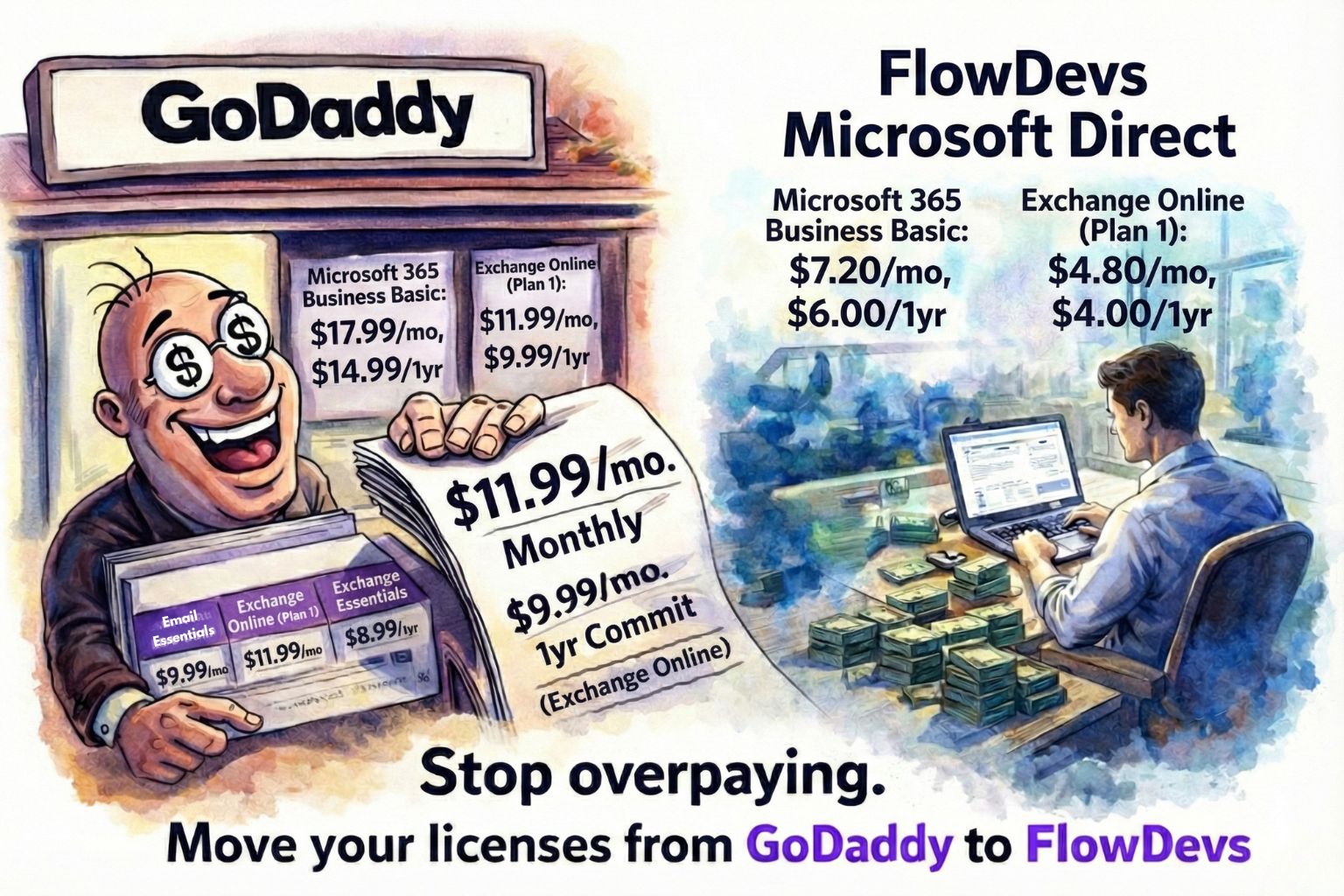
The GoDaddy 'Convenience Tax': Why Buying Microsoft 365 from GoDaddy Costs You 150% More

Building the Digital Trust Architecture: A Strategic Shift for 2026