The Bottleneck Hiding in Plain Sight
If you walk through the office of almost any growing business today, you will see highly capable people doing highly robotic work. They are staring at screens that look like they were built two decades ago. They are copying a customer address from an email, tabbing over to a legacy vendor portal, and pasting that exact same block of text into a form. They hit submit, wait for the page to load, and do it all over again.
You hire smart people to solve problems, build relationships, and drive revenue. Yet, operations usually dictate that those same talented individuals spend hours every week retyping information into shipping systems, compliance screens, and old desktop applications that simply never received a clean application programming interface, commonly known as an API. When software lacks an API, systems cannot talk to each other in the background. The only way to move data from system A to system B is to use a human as the bridge.
This is a massive bottleneck. It burns your team out. It introduces typing errors and slows down your entire daily operation. If your team is stuck clicking through old portals by hand, that is the exact workflow you need to fix next.
What Changed in Practical Automation
As of May 20, 2026, the technology landscape has shifted in a way that directly benefits everyday business operations. We are not talking about another generic chatbot or an unproven virtual assistant. We are looking at a very specific, practical advancement in how software interacts with graphical user interfaces, or GUI. A GUI is just the front door of a piece of software. It is the buttons, forms, and menus built for human eyes.
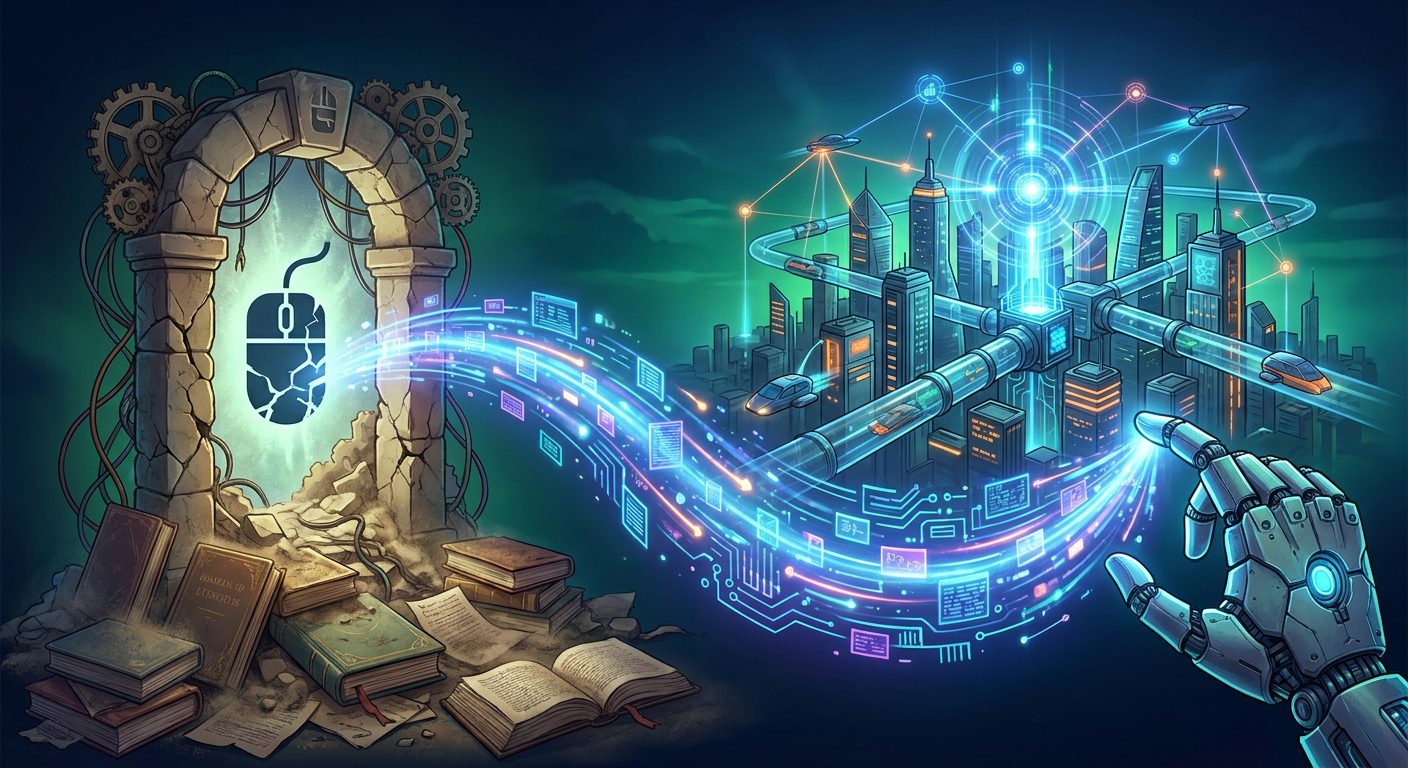
Historically, having a computer automatically navigate a GUI was incredibly fragile. If an old system updated and a submit button moved a single inch to the right, the whole automated process would fail. The computer strictly memorized coordinates instead of actually understanding the screen.
That rigid approach is ending. According to the Microsoft Power Automate 2026 release wave 1 overview, which was updated on April 20, 2026, desktop automations are becoming significantly more intelligent and resilient. The update introduces AI agents and self healing capabilities, meaning the software can recognize when a button moves and click it anyway. It also includes direct connections to Copilot Studio, bridging the gap between conversational commands and actual desktop actions.
Furthermore, the Microsoft Copilot Studio release plan page, updated on March 18, 2026, details a capability titled 'Automate web and desktop apps with computer use'. Microsoft slated this for public preview on May 27, 2025, and general availability in May 2026. While it is crucial to remember that release plan timing can still change, the trajectory is clear. Modern automation tools can now effectively see the screen and interact with old software exactly like a human would.
Giving Your Team Time Back
This development is not a theoretical exercise for tech enthusiasts. It is a very real lever for owners, operators, general managers, and sales leaders at growing businesses. This technology gives your team time back. It is that simple.
Too often, businesses hear the word automation and assume the goal is to replace people. That completely misses the mark. In a competitive market, finding and training good talent is one of the hardest things a growing business must do. You automate the tedium without devaluing your people. By stripping away the mindless data entry, you free up your staff to focus on exceptions, handle complex customer service issues, and engage in actual critical thinking.
Concrete Examples Where The Bottleneck Breaks
To understand the impact, let us look at the specific workflows that usually grind operations to a halt. These are the practical areas where screen automation thrives today.
- Routine Invoice Entry: Receiving PDF invoices in an inbox, reading the totals, and typing those line items into an aging accounting system that refuses to integrate natively.
- Manual Order Updates: Taking processed orders from a modern web storefront and having an employee manually type those exact details into a heavily locked down, on premise inventory management system.
- Shipment Status Checking: Logging into varied shipping provider websites every morning, searching tracking numbers one by one, and copying that delivery status back into your primary CRM to inform your sales team.
- Vendor Portal Maintenance: Pushing updated pricing, inventory counts, or catalog variations into cumbersome third party supplier portals that offer no upload tools.
- Compliance and Certificate Uploads: Manually logging into state, federal, or industry specific regulatory portals to upload safety certificates and simple compliance forms for every single new project.
- Microsoft 365 to Legacy Rekeying: Taking finalized data approved in a modern digital environment like Microsoft Teams or SharePoint, and paying a staff member to painstakingly rekey that exact data into a proprietary line of business application.
Where to Act Now and Where to Wait
Should you rip apart all your standard operating procedures this week? Absolutely not. Plain language setup procedures do not mean you can skip proper process design.
This technology is worth acting on right now if you have a narrow, highly repetitive, and high volume task that is suffocating your staff. If a legacy desktop application works perfectly fine for its primary job but just lacks connectivity, you do not need to spend hundreds of thousands of dollars replacing the whole system. You just need to build a smarter bridge using these new desktop flows. Start with the workflow, not the software.
Where is this not worth the effort? Do not try to automate highly variable tasks that require nuance, gut instinct, or complex human judgment. Additionally, we must stay grounded about readiness. Microsoft is still presenting these capabilities inside release plan materials as of May 20, 2026. General availability targets often move. Do not build your entire operational infrastructure on a tool that could shift in upcoming patches. You want to automate proven constraints, not bet your business on bleeding edge promises.
The Move Forward
At FlowDevs, we believe in a straightforward, practical approach. We operate as your technology department on demand. If you want to eliminate these bottlenecks, the first step is to isolate one narrow, painful workflow. Map it out completely so you understand every single mouse click.
A critical rule we always enforce is that you must keep a human checkpoint anywhere money, firm commitments, or direct customer communications are involved. Let the automated agent do the heavy lifting of navigating the broken portal, finding the right fields, and filling out the data. But force that automated agent to pause and wait for a designated staff member to click approve. You get the speed of automation with the safety of human oversight.
The goal is to fix the bottleneck permanently. Sometimes the right fix is this new Microsoft screen automation. Other times, the better path is a cleaner website intake form, a lightweight internal tool, or entirely custom software. We do not force one single product onto every problem. We look at the workflow, evaluate the tools, and provide clear scope, clear cost, and a clear next step.
If your growing business is ready to stop letting talented people click through old portals by hand, we should talk. You can bypass the hype and book a practical working session directly at https://bookings.flowdevs.io. Let your computers do the typing, so your people can do the thinking.
The Bottleneck Hiding in Plain Sight
If you walk through the office of almost any growing business today, you will see highly capable people doing highly robotic work. They are staring at screens that look like they were built two decades ago. They are copying a customer address from an email, tabbing over to a legacy vendor portal, and pasting that exact same block of text into a form. They hit submit, wait for the page to load, and do it all over again.
You hire smart people to solve problems, build relationships, and drive revenue. Yet, operations usually dictate that those same talented individuals spend hours every week retyping information into shipping systems, compliance screens, and old desktop applications that simply never received a clean application programming interface, commonly known as an API. When software lacks an API, systems cannot talk to each other in the background. The only way to move data from system A to system B is to use a human as the bridge.
This is a massive bottleneck. It burns your team out. It introduces typing errors and slows down your entire daily operation. If your team is stuck clicking through old portals by hand, that is the exact workflow you need to fix next.
What Changed in Practical Automation
As of May 20, 2026, the technology landscape has shifted in a way that directly benefits everyday business operations. We are not talking about another generic chatbot or an unproven virtual assistant. We are looking at a very specific, practical advancement in how software interacts with graphical user interfaces, or GUI. A GUI is just the front door of a piece of software. It is the buttons, forms, and menus built for human eyes.
Historically, having a computer automatically navigate a GUI was incredibly fragile. If an old system updated and a submit button moved a single inch to the right, the whole automated process would fail. The computer strictly memorized coordinates instead of actually understanding the screen.
That rigid approach is ending. According to the Microsoft Power Automate 2026 release wave 1 overview, which was updated on April 20, 2026, desktop automations are becoming significantly more intelligent and resilient. The update introduces AI agents and self healing capabilities, meaning the software can recognize when a button moves and click it anyway. It also includes direct connections to Copilot Studio, bridging the gap between conversational commands and actual desktop actions.
Furthermore, the Microsoft Copilot Studio release plan page, updated on March 18, 2026, details a capability titled 'Automate web and desktop apps with computer use'. Microsoft slated this for public preview on May 27, 2025, and general availability in May 2026. While it is crucial to remember that release plan timing can still change, the trajectory is clear. Modern automation tools can now effectively see the screen and interact with old software exactly like a human would.
Giving Your Team Time Back
This development is not a theoretical exercise for tech enthusiasts. It is a very real lever for owners, operators, general managers, and sales leaders at growing businesses. This technology gives your team time back. It is that simple.
Too often, businesses hear the word automation and assume the goal is to replace people. That completely misses the mark. In a competitive market, finding and training good talent is one of the hardest things a growing business must do. You automate the tedium without devaluing your people. By stripping away the mindless data entry, you free up your staff to focus on exceptions, handle complex customer service issues, and engage in actual critical thinking.
Concrete Examples Where The Bottleneck Breaks
To understand the impact, let us look at the specific workflows that usually grind operations to a halt. These are the practical areas where screen automation thrives today.
- Routine Invoice Entry: Receiving PDF invoices in an inbox, reading the totals, and typing those line items into an aging accounting system that refuses to integrate natively.
- Manual Order Updates: Taking processed orders from a modern web storefront and having an employee manually type those exact details into a heavily locked down, on premise inventory management system.
- Shipment Status Checking: Logging into varied shipping provider websites every morning, searching tracking numbers one by one, and copying that delivery status back into your primary CRM to inform your sales team.
- Vendor Portal Maintenance: Pushing updated pricing, inventory counts, or catalog variations into cumbersome third party supplier portals that offer no upload tools.
- Compliance and Certificate Uploads: Manually logging into state, federal, or industry specific regulatory portals to upload safety certificates and simple compliance forms for every single new project.
- Microsoft 365 to Legacy Rekeying: Taking finalized data approved in a modern digital environment like Microsoft Teams or SharePoint, and paying a staff member to painstakingly rekey that exact data into a proprietary line of business application.
Where to Act Now and Where to Wait
Should you rip apart all your standard operating procedures this week? Absolutely not. Plain language setup procedures do not mean you can skip proper process design.
This technology is worth acting on right now if you have a narrow, highly repetitive, and high volume task that is suffocating your staff. If a legacy desktop application works perfectly fine for its primary job but just lacks connectivity, you do not need to spend hundreds of thousands of dollars replacing the whole system. You just need to build a smarter bridge using these new desktop flows. Start with the workflow, not the software.
Where is this not worth the effort? Do not try to automate highly variable tasks that require nuance, gut instinct, or complex human judgment. Additionally, we must stay grounded about readiness. Microsoft is still presenting these capabilities inside release plan materials as of May 20, 2026. General availability targets often move. Do not build your entire operational infrastructure on a tool that could shift in upcoming patches. You want to automate proven constraints, not bet your business on bleeding edge promises.
The Move Forward
At FlowDevs, we believe in a straightforward, practical approach. We operate as your technology department on demand. If you want to eliminate these bottlenecks, the first step is to isolate one narrow, painful workflow. Map it out completely so you understand every single mouse click.
A critical rule we always enforce is that you must keep a human checkpoint anywhere money, firm commitments, or direct customer communications are involved. Let the automated agent do the heavy lifting of navigating the broken portal, finding the right fields, and filling out the data. But force that automated agent to pause and wait for a designated staff member to click approve. You get the speed of automation with the safety of human oversight.
The goal is to fix the bottleneck permanently. Sometimes the right fix is this new Microsoft screen automation. Other times, the better path is a cleaner website intake form, a lightweight internal tool, or entirely custom software. We do not force one single product onto every problem. We look at the workflow, evaluate the tools, and provide clear scope, clear cost, and a clear next step.
If your growing business is ready to stop letting talented people click through old portals by hand, we should talk. You can bypass the hype and book a practical working session directly at https://bookings.flowdevs.io. Let your computers do the typing, so your people can do the thinking.