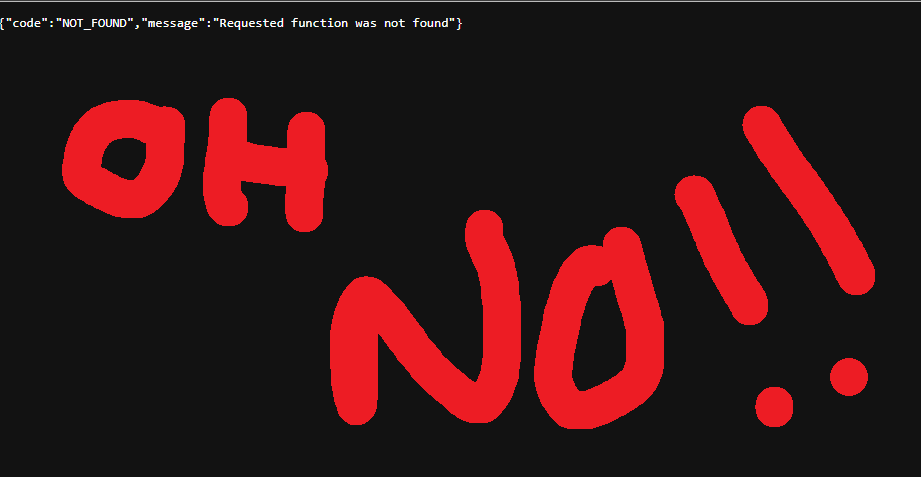
If you have ever deployed a Supabase Edge Function only to find it missing from your dashboard an hour later, or worse, suddenly returning a 401 Unauthorized error for a public endpoint, you are not losing your mind. You are likely experiencing a persistence mismatch between your local environment and the Supabase CLI. It is a frustrating scenario that can make you feel like your code is gaslighting you especially when you are building fast with modern tools like Lovable.
In the world of Supabase, your supabase/config.toml file is the absolute source of truth. If a function is not explicitly declared there, the deployment system treats it like a houseguest who forgot to sign the lease. It might be allowed in for a little while, but it is the first to be kicked out during a redeployment cycle.
The Problem: Ghost Functions and Default Security
When you run supabase functions deploy without a specific function name, the CLI looks directly at your configuration file. If you have ten functions sitting in your directory but only two declared in your config, you are asking for trouble. Here is what happens behind the scenes:
Security Reversion
By default, Supabase assumes you want security to be tight. This means it defaults to verify_jwt = true. If your public webhook, sitemap generator, or payment callback is not listed in the config, Supabase may default to requiring a JSON Web Token (JWT). This instantly breaks your public integrations because external services like Stripe or Square cannot pass that security check.
Deployment Drops
During batch redeployments, the CLI might only track the functions it knows about in the config. This often leads to older, undeclared functions being dropped or unpublished entirely. The deployment engine does not have a reliable registry of what should exist, so it simply syncs what is on the list.
The Solution: Explicit Declaration
To ensure your functions persist and behave exactly how you expect them to, you must explicitly map them in your supabase/config.toml. This ensures that every time you deploy, the system knows exactly which entry points to create and what security rules to apply.
1. Update your config.toml
You need to add every function in your project to the file. Below is a breakdown for a typical project that includes both public endpoints and protected administrative functions.
Ini, TOML
project_id = "your-project-ref"

[functions.checkout-question]
verify_jwt = false

[functions.og-meta]
verify_jwt = false

[functions.sitemap]
verify_jwt = false

[functions.square-admin-item]
verify_jwt = true

[functions.square-catalog-sync]
verify_jwt = true

[functions.square-webhook]
verify_jwt = false
Notice the difference between the functions. Public endpoints like webhooks must have verify_jwt set to false. However, for admin functions like square-catalog-sync, we explicitly set the requirement to true.
Note: Keeping verify_jwt = true for admin functions allows you to extract the user's session token from the header for internal validation, while letting Supabase handle the initial gatekeeping. This ensures the Authorization header is processed correctly by the Deno runtime.
2. The Clean Sweep Redeploy
Once your configuration file is updated, do not just deploy one function at a time. You want to synchronize the entire state of your project with a batch deployment. Run the following command in your terminal:
Bash
supabase functions deploy
This command allows the CLI to read your new manifest and ensure every function is published with the correct metadata settings.
Why This Fixes the Issue
By adding every function to your configuration file, you solve two major architectural problems:
- Global Persistence: The functions are finally recognized as permanent assets of the project rather than temporary uploads.
- Correct Metadata: Settings like JWT verification are baked into the deployment. This prevents "silent" security resets that break public webhooks.
Building Reliable Infrastructure
Managing configuration files and deployment pipelines is just one part of building a robust digital ecosystem. At FlowDevs, we look at the bigger picture. We build the integrated digital systems that power modern business, specializing in scalable cloud infrastructure and properly configured environments that prevent these kinds of "vanishing" errors.
Whether you are debugging Edge Functions or looking to streamline complex workflows with intelligent automation, we can help bring your technical vision to life. If you want to ensure your architecture is solid from the ground up, let's connect.
Book a consultation with FlowDevs
Would you like me to generate a specific list of config.toml entries for the rest of the functions mentioned in your initial notes?
If you have ever deployed a Supabase Edge Function only to find it missing from your dashboard an hour later, or worse, suddenly returning a 401 Unauthorized error for a public endpoint, you are not losing your mind. You are likely experiencing a persistence mismatch between your local environment and the Supabase CLI. It is a frustrating scenario that can make you feel like your code is gaslighting you especially when you are building fast with modern tools like Lovable.
In the world of Supabase, your supabase/config.toml file is the absolute source of truth. If a function is not explicitly declared there, the deployment system treats it like a houseguest who forgot to sign the lease. It might be allowed in for a little while, but it is the first to be kicked out during a redeployment cycle.
The Problem: Ghost Functions and Default Security
When you run supabase functions deploy without a specific function name, the CLI looks directly at your configuration file. If you have ten functions sitting in your directory but only two declared in your config, you are asking for trouble. Here is what happens behind the scenes:
Security Reversion
By default, Supabase assumes you want security to be tight. This means it defaults to verify_jwt = true. If your public webhook, sitemap generator, or payment callback is not listed in the config, Supabase may default to requiring a JSON Web Token (JWT). This instantly breaks your public integrations because external services like Stripe or Square cannot pass that security check.
Deployment Drops
During batch redeployments, the CLI might only track the functions it knows about in the config. This often leads to older, undeclared functions being dropped or unpublished entirely. The deployment engine does not have a reliable registry of what should exist, so it simply syncs what is on the list.
The Solution: Explicit Declaration
To ensure your functions persist and behave exactly how you expect them to, you must explicitly map them in your supabase/config.toml. This ensures that every time you deploy, the system knows exactly which entry points to create and what security rules to apply.
1. Update your config.toml
You need to add every function in your project to the file. Below is a breakdown for a typical project that includes both public endpoints and protected administrative functions.
Ini, TOML
project_id = "your-project-ref"

[functions.checkout-question]
verify_jwt = false

[functions.og-meta]
verify_jwt = false

[functions.sitemap]
verify_jwt = false

[functions.square-admin-item]
verify_jwt = true

[functions.square-catalog-sync]
verify_jwt = true

[functions.square-webhook]
verify_jwt = false
Notice the difference between the functions. Public endpoints like webhooks must have verify_jwt set to false. However, for admin functions like square-catalog-sync, we explicitly set the requirement to true.
Note: Keeping verify_jwt = true for admin functions allows you to extract the user's session token from the header for internal validation, while letting Supabase handle the initial gatekeeping. This ensures the Authorization header is processed correctly by the Deno runtime.
2. The Clean Sweep Redeploy
Once your configuration file is updated, do not just deploy one function at a time. You want to synchronize the entire state of your project with a batch deployment. Run the following command in your terminal:
Bash
supabase functions deploy
This command allows the CLI to read your new manifest and ensure every function is published with the correct metadata settings.
Why This Fixes the Issue
By adding every function to your configuration file, you solve two major architectural problems:
- Global Persistence: The functions are finally recognized as permanent assets of the project rather than temporary uploads.
- Correct Metadata: Settings like JWT verification are baked into the deployment. This prevents "silent" security resets that break public webhooks.
Building Reliable Infrastructure
Managing configuration files and deployment pipelines is just one part of building a robust digital ecosystem. At FlowDevs, we look at the bigger picture. We build the integrated digital systems that power modern business, specializing in scalable cloud infrastructure and properly configured environments that prevent these kinds of "vanishing" errors.
Whether you are debugging Edge Functions or looking to streamline complex workflows with intelligent automation, we can help bring your technical vision to life. If you want to ensure your architecture is solid from the ground up, let's connect.
Book a consultation with FlowDevs
Would you like me to generate a specific list of config.toml entries for the rest of the functions mentioned in your initial notes?